AI Document Intelligence
Search your documents. Follow the sources.
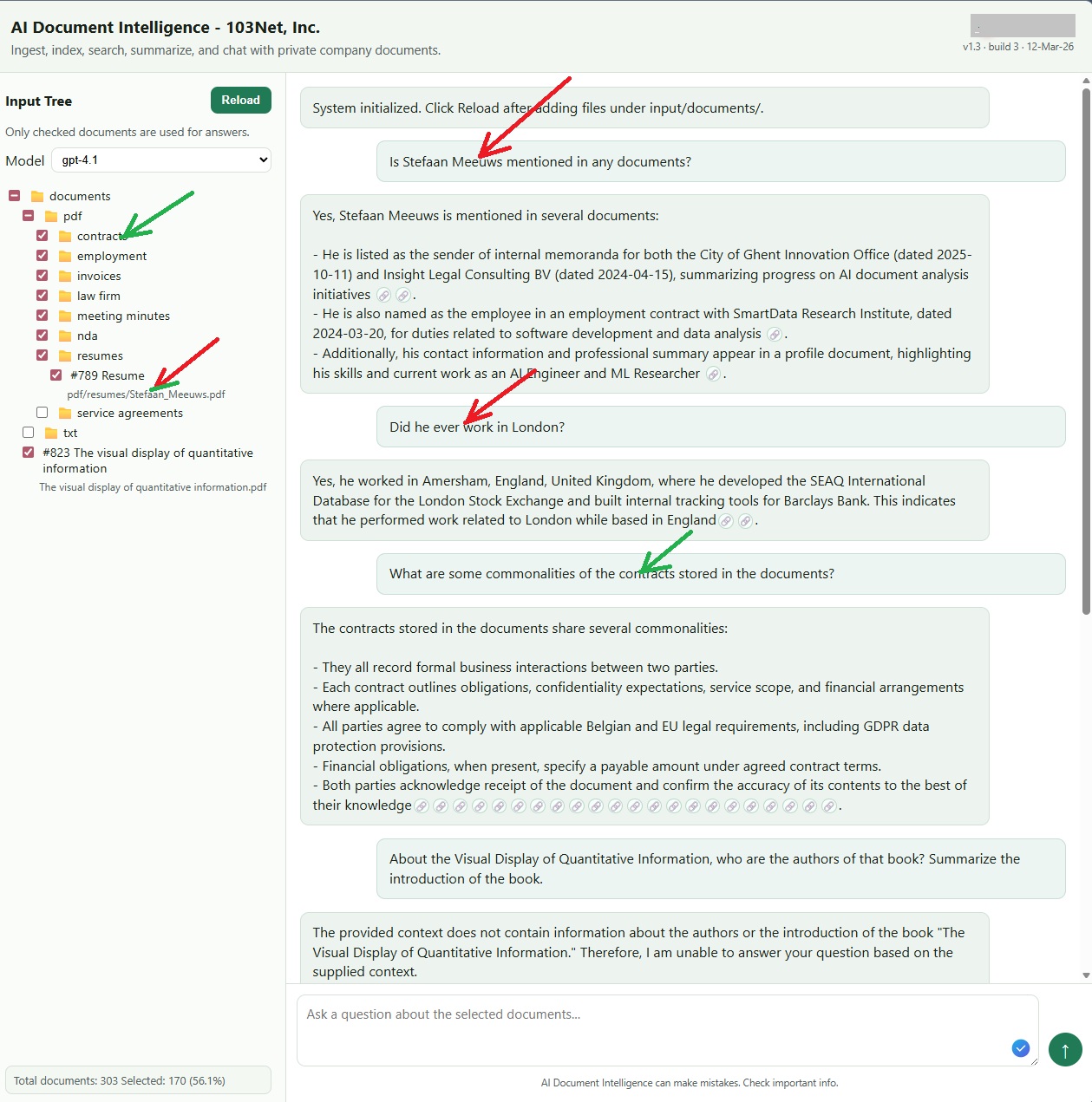
Find answers across PDF, Word and text files, with clickable references back to the originals. Bring together equipment manuals, service reports and procedures to prepare a maintenance visit or check an unresolved issue. Your documents and search index stay on the computer running the app.
Optional AI-generated answers send your question, relevant excerpts and selected document metadata, including titles and filenames, to OpenAI.
- Project type
- Python document application with a browser interface.
- My role
- Application development: document ingestion, semantic retrieval, question answering and the Flask interface.
- What it delivers
- Index PDF, Word and text files, select documents, view summaries and ask questions with clickable source references.
- Python
- Flask
- SentenceTransformers
- ChromaDB
- SQLite
Explore the prepared walkthrough, or request a live maintenance demonstration using fictional manuals, service reports and procedures. Email me to agree a time.
Hosting, AI processing & access
Hosting: The demonstration application stores its documents, search index and indexing records on the machine where it runs. Hosting for a client system is agreed around the project's requirements.
AI processing: When OpenAI answers are enabled, the application sends your question, retrieved document excerpts and selected document metadata, including titles and filenames, to OpenAI. Without an OpenAI API key, it returns extracted passages with source references.
Access: Selecting documents controls the search scope. A shared deployment also needs authentication and user permissions appropriate to the organisation; these must be implemented as part of that deployment.
Before using confidential documents, we agree which sources and external services may be used, who can access the system, and the requirements for storage, backups and retention.